How To Use Seedr
First, find any torrent website and search for the file you want to download. On the torrent page, you will usually see a Magnet link or an option to download the torrent file.
1. Upload Using Magnet Link
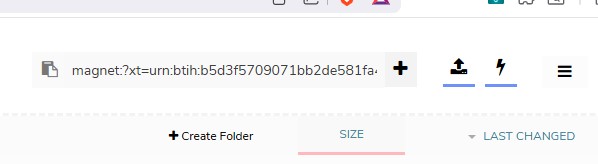
Right-click on the Magnet link, copy the URL, and paste it into the Seedr input box. The download will start automatically.
2. Upload Using Torrent File
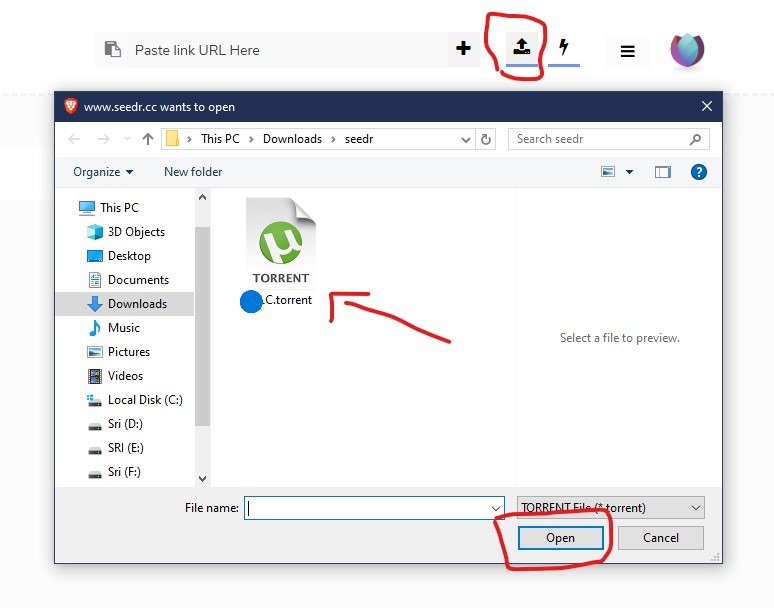
Download the torrent file, which is usually less than 500 KB in size. After downloading, upload the torrent file to Seedr using the upload button.
3. Upload Using Website URL
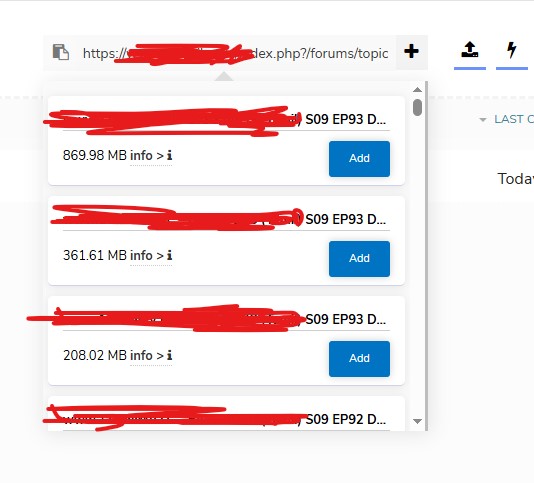
Paste a website URL directly into Seedr. If the URL contains a single file, it will start downloading automatically. If multiple options are available (such as 4K, 1080p, 720p, 480p), Seedr will show all options so you can choose.
4. Handling Multiple Files
If a folder contains multiple files, Seedr will automatically ZIP the files and start the download. You can also choose to download individual or partial files.
5. Share Download Link With Friends
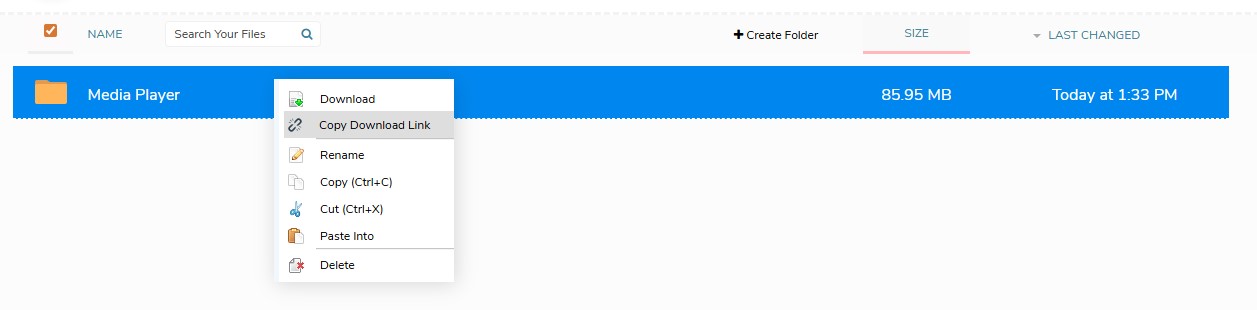
Right-click on a file and select Copy Download Link to share it with friends.
Note: The download link is valid for 24 hours.
6. Manage Free Storage
If you run out of free storage, you can delete existing files and add new torrents. This allows you to reuse your free storage unlimited times.